
 The Steps to Great Photos of Your Handwriting, Fingerprints, etc.
Taking a great photo of your handwriting, fingerprints, footprints, etc. is simple. .
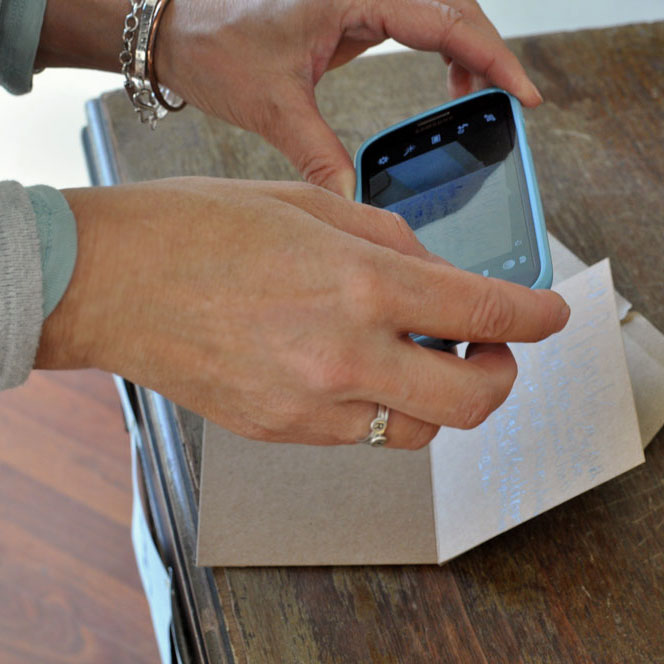
1. Lay your handwriting on a flat surface.
2. Position your camera directly above the handwriting so you aren't taking the photo at an angle. This gives the clearest, undistorted view of the handwriting.
Try to get even lighting across the image, rather than heavy shadows across parts of it.
If your image is blurry, the light is probably too low. Increase the lighting (turn on lights, move near a window, etc.) and that will likely result in a sharp image.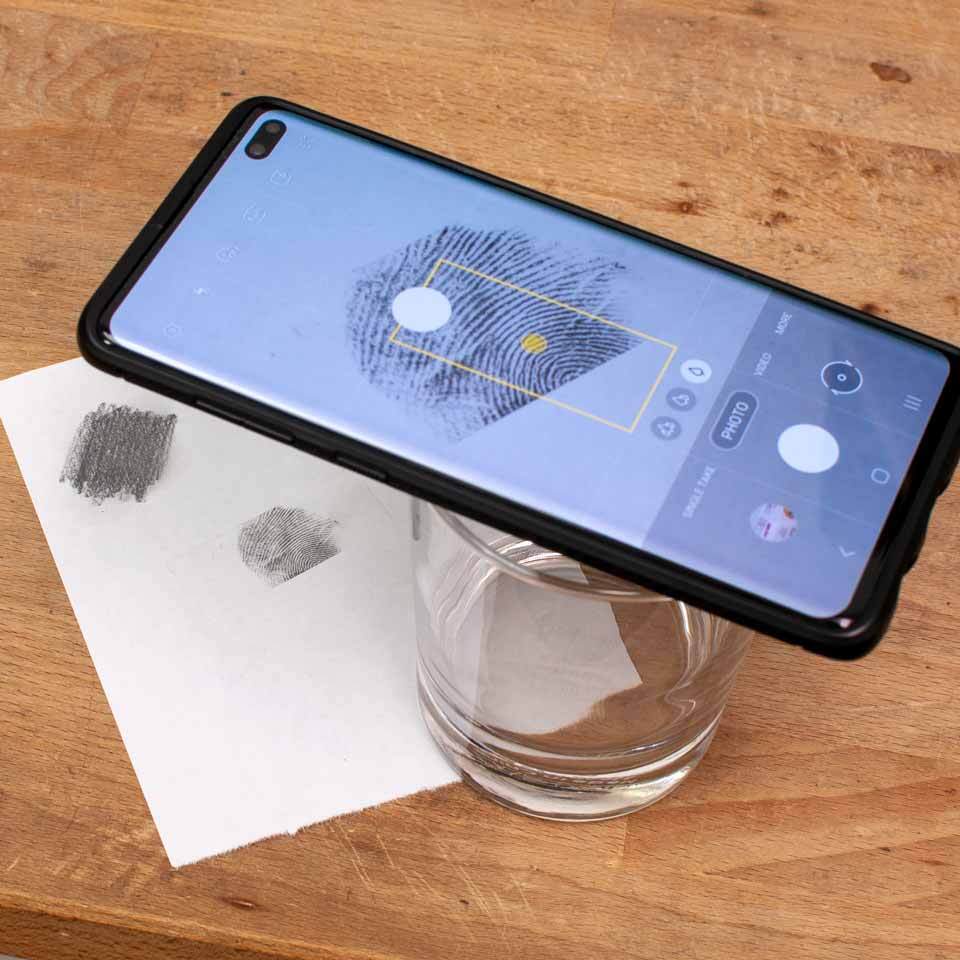
Something else to try is using a waterglass as a "tripod" for your camera. That will keep the camera very steady. If you're worried pushing the button will shake the camera, try using the camera on a timer -- click the button, it counts down 5 seconds then snaps the photo.
3. Have the writing fill most, not all, of your screen.
Why not fill the whole screen? If you include some of the wording around the words you want, you're less likely to cut off some of the handwriting you DO. (It happens!) Also, it also gives us more context for the letters and words when writing from above or below overlaps.
4. There is a button to upload your photo when you order, or you can email it to us separately after you order (include your order number for reference if you can). An easy option is to simply reply to your email receipt with your image attached.
We wiill contact you if there are any problems with your image or if we have questions. It's that simple!
Note: if you don't have access to a camera, you can also use a scanner and send that image to us. You can send a paper copy of your handwriting via snail mail if that is easiest for you.
Please contact us with any questions! We are happy to help!
FAQs
1. Why are there two buttons to upload photos - do you need two photos? A - no we only need one photo from you. But if part of your handwriting is in one photo and the other part is in another photo, we give the option of uploading up to two photos. If you have more than two photos, you can email them all to us or just email the ones you weren't able to upload when you ordered.
2. Can you use an image with a colored background? A - yes we can. We can use anything on a colored background, since we end up removing the background as a first step.
3. Can I text my photo to you? A - yes you can, please let us know if you need to do this and I will give you the number to text it to.
4. Do you provide a mockup of how my handwriting will look on my charm? A - we can provide you a mockup upon special request. This will delay your order by 1-2 days since we need to create the mockup, email it to you and then wait to hear back from you on it. If you want to see a mockup, please mention this in the special instructions field of your order and watch for an email from us!
5. Can the handwriting be different on the front and back of the charm? A - yes, most products can accomodate handwriting on the back as well. Select that option when ordering. If the handwriting you want on the back is in the same image as the handwriting for the front, there's no need to upload it twice. Just let us know what you want on the back.
6. What does the option 'stamping on back' mean? A - this means we can add a short message, date or words to the back of your charm using our stamped block font. If you want handwriting on the back of your charm, choose the option for handwriting on the back.